
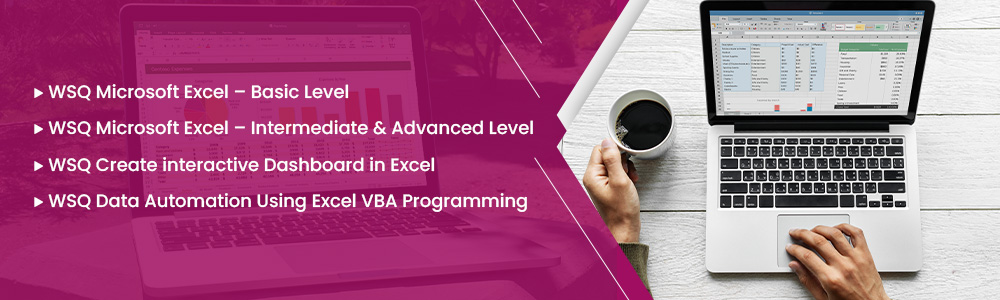
Master Excel basics to VBA automation with interactive WSQ-Certified Training
Master Excel with our WSQ-certified courses: from Basic to Intermediate & Advanced levels. Learn to create interactive dashboards and automate tasks using Excel VBA Programming. Enhance productivity, data analysis, and reporting skills. Ideal for professionals seeking hands-on, practical Excel expertise.
Schedule
- Timings: 9:00 AM - 6:00 PM
- 10 Anson Road, 26-08A International Plaza, Singapore 079903
Why Choose Us
- Expert Local Trainers
- Hands-on Training by experts
- Certificate of Achievement
SSG Course Details
- WSQ Microsoft Excel – Basic Level
- TGS-2023039385
- WSQ Microsoft Excel – Intermediate & Advanced Level
- TGS-2023039385
- WSQ Create interactive Dashboard in Excel
- TGS-2025052347
- WSQ Data Automation Using Excel VBA Programming
- TGS-2023039385
Grants Available
WSQ
Singapore Workforce Skills Qualifications
Baseline funding deduction upto 70% for Singaporeans/ PRs. Further SFEC, Absentee Payroll and WSS applicable.
SkillsFuture
Eligible
Singaporeans can use $500 SkillsFuture Credits for this training to offset the course fees
PSEA
Post-Secondary Education Account are available for Singaporean Citizens to cover the approved fees and charges related to WSQ programs.
UTAP
NTUC members can claim up to 50% of the unfunded course fees.
NTUC Members' Benefit
Complete this eligible AI course and you may qualify for subscription fee support for selected AI tools under the NTUC AI Tools initiative (available from 1 May 2026 to 30 April 2028), subject to NTUC's eligibility criteria and approval.
Contact us to learn more about eligible courses and how to apply.
Who Should Attend

Student

Business professionals

Entrepreneur

Analyst
Course Completion Requirements
Minimum 75% attendance & Passing the assessment by the end of the course is required in order to complete the course and receive the course completion certificate as well as course fee subsidy funding

Above 16 years old

High School Level English
Basic internet & computer operation skills
Excel basics to VBA Automation with interactive WSQ-Certified Training
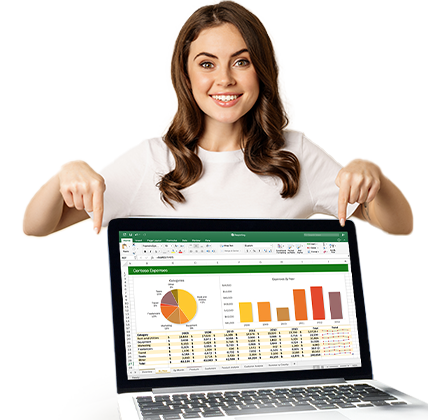
Gain comprehensive Excel skills through hands-on WSQ training in basic, advanced functions, dashboards, and VBA programming to boost productivity, reporting, and automation.
- Understand Excel fundamentals – Learn basic formulas, formatting, and data entry techniques.
- Master advanced Excel functions – Work with PivotTables, VLOOKUP, data analysis tools, and complex formulas.
- Create interactive dashboards – Design dynamic, user-friendly dashboards for real-time reporting.
- Automate tasks using VBA – Write macros and automate repetitive Excel processes with Excel VBA programming.



What You Will Learn – Excel Basics to VBA Automation with Interactive WSQ-Certified Training
- Excel Fundamentals – Learn essential formulas, formatting, and spreadsheet navigation.
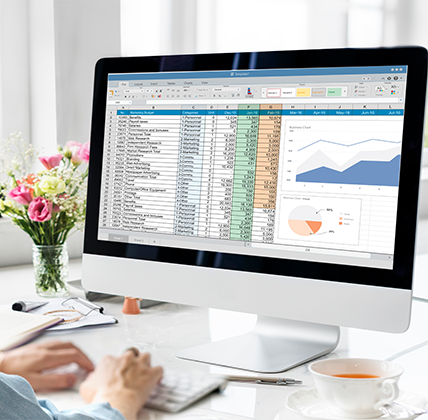
- Data Analysis – Master functions, charts, pivot tables, and data visualization.
- Dashboard Creation – Build interactive, dynamic dashboards for reporting and insights.
- Automation with VBA – Automate repetitive tasks using Excel VBA programming.
- Real-World Applications – Apply skills through hands-on exercises and workplace scenarios.
FAQ for Excel Basics to VBA Automation with Interactive WSQ-Certified Training Course
What are the different WSQ Excel courses offered?
We offer four WSQ-certified Excel courses:
- WSQ Microsoft Excel – Basic Level
- WSQ Microsoft Excel – Intermediate & Advanced Level
- WSQ Create Interactive Dashboard in Excel
- WSQ Data Automation Using Excel VBA Programming
What if I fail/did not complete the assessment?
You will be considered non-competent and no Statement of Attainment (SOA) will be awarded.
You are required to pay the complete course fee, which includes the SSG’s funding requirement.
Who are these courses suitable for?
- Basic Level: Beginners with little or no experience in Excel.
- Intermediate & Advanced: Those with basic knowledge who want to improve their Excel efficiency and analysis skills.
- Dashboard Course: Professionals who want to create dynamic, visual dashboards.
- VBA Course: Advanced users who want to automate repetitive tasks with programming.
Are these courses WSQ-certified?
Yes, all courses are WSQ-accredited and aligned with Singapore’s SkillsFuture framework. Participants will receive a WSQ Statement of Attainment (SOA) upon successful completion.
Can I use SkillsFuture Credits or subsidies?
Yes. Singaporeans and PRs can use SkillsFuture Credits and may be eligible for SSG subsidies. NTUC UTAP support is also applicable for union members.
What will I learn in the Basic Excel course?
You’ll learn Excel fundamentals such as:
- Data entry and formatting
- Basic formulas and functions
- Charts and tables
- Basic data sorting and filtering
What does the Intermediate & Advanced course cover?
This course covers:
- Advanced formulas (VLOOKUP, IF, INDEX/MATCH)
- Data validation
- PivotTables and PivotCharts
- Conditional formatting
What can I do after taking the Dashboard course?
You’ll be able to:
- Build interactive Excel dashboards
- Use slicers, dynamic charts, and PivotTables
- Create visual reports for business presentations
Master Excel basics to VBA Automation with Interactive WSQ-Certified Training
Unlock the Full Power of Excel – From Spreadsheets to Automation, Guided by Certified Trainers
© 2026 All Rights Reserved.